

Export Assets data from Jira to PDF
Assets is Atlassian's platform app for asset management. It allows implementing CMDB, CRM, HR, ITSM or ITIL functionality on the Jira platform.
Better PDF Exporter is tightly integrated with Assets, allowing you to export all Assets custom fields with the desired granularity (object keys, names and attributes) to PDF. Having full access to Assets objects and their attributes, you can easily implement custom reporting and Business Intelligence on Assets data.
Next steps
- For the tutorial video and the configuration guide, see the Assets integration page.
- Create similar PDF reports from your own issues with the free 30-day trial!
Export samples
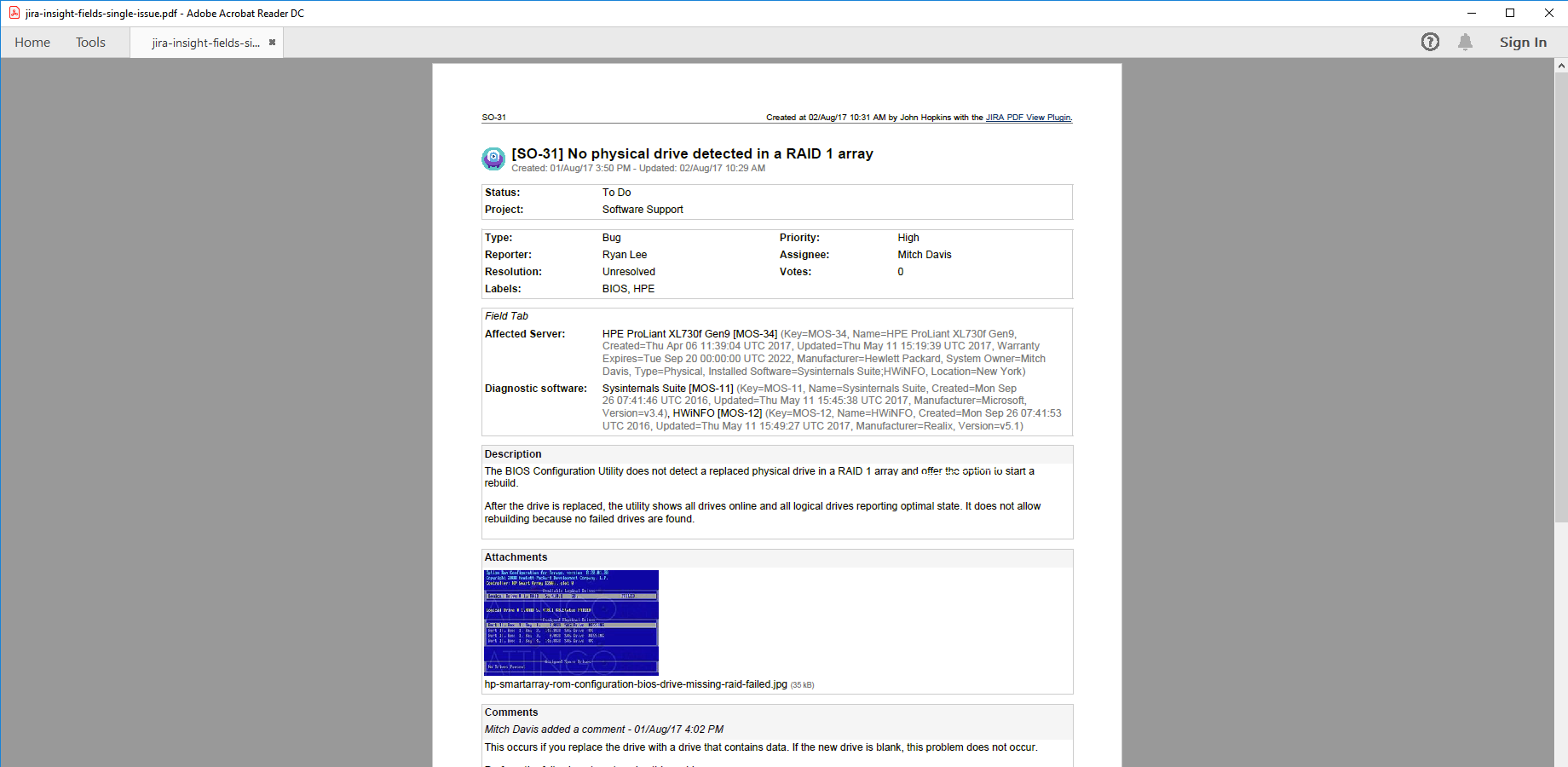
Jira issue with Assets objects
This straightforward PDF document (created using the default issue-fo.vm template) contains a single Jira issue with two Assets custom fields. In addition to object names and keys, attributes are exported as comma-separated name-value pairs in brackets (the format is completely customizable).

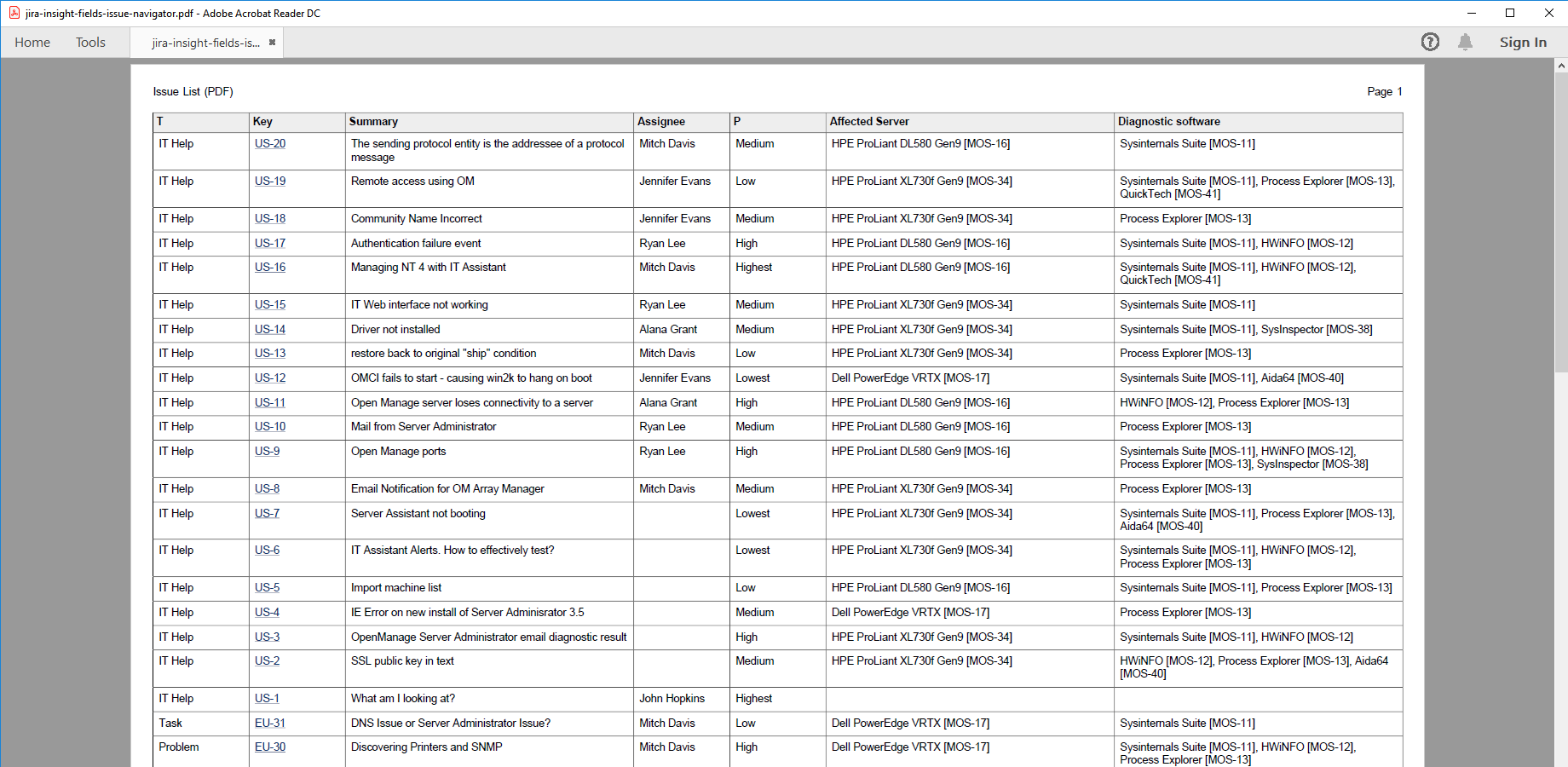
Jira issue list with Assets objects
Assets custom fields (see the 2 rightmost columns) are also supported when bulk-exporting Jira issues to a table in a PDF document. In this example, attributes are turned off for a more compact content.